
Crimson Moon Co-op: Matchmaking, Invites & Player Limit
Crimson Moon co-op supports two players. Learn public matchmaking, private hosting, friend invites, session codes, and known connection issues.
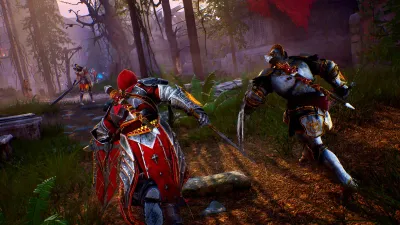
Does Crimson Moon have matchmaking?
Yes: public matchmaking and private sessions are documented. The maximum is two players; there is no three-player option in the official instructions. Matchmaking is at the portal in Sanctus Clypeus.
How do you host or join a session?
Hold the invite control shown at the upper left to open the multiplayer options. Then choose the route you need:
| Goal | Menu route |
|---|---|
| Join a public game | Choose Quick Match. |
| Let others match into your game | Choose Host Game, then public. |
| Play privately | Choose Host Game, then private. |
| Invite a friend | After hosting privately, open the smiley-face friends list, select an online friend who owns the game, and choose invite. |
| Share your session | Give the host’s session code to your partner. |
| Use a received code | Choose Join Via Code, enter the session code, then submit. |
Source: official co-op instructions, checked September 7, 2026. Co-op is optional, with shared revives, partner resurrection and party-size scaling. These are documented steps, not a guarantee of an available partner or a working connection.
What if matchmaking or an invitation fails?
The launch issue list records invitation-related title-screen stalls, Moore Manor client freezes or disconnections, and an incorrect session-left message. Those reports are not proof that every unsuccessful match has the same cause. Check the co-op disconnect record and Known Issues for the distinction between documented symptoms and verified fixes.
For a useful support report, note which route failed: Quick Match, friends-list invitation or code entry. Include your platform, game version, time, the exact message and whether you were hosting or joining. Do not publish your session code or account details in a public report. Recording these details is our reporting advice, not a developer-confirmed workaround.
Is co-op progress shared, and does crossplay work?
The official launch issue list includes mission progress not being awarded correctly to the host. That bug report is not a complete specification of how every host and guest reward should work. Read Co-op Progression before treating session completion as proof of permanent progress for both players.
The sources checked for this guide do not establish every PC/console pairing or cross-progression rule. A session-code option alone does not prove crossplay. We therefore do not label an untested platform combination as supported.
Before starting, use How Runs Work to distinguish a mission from a full run, and Loadout and Inventory for preparation. The Build Planner can record a proposed team loadout, but it does not validate matchmaking or calculate team damage.
Sources and corrections
The official launch issue list and the co-op instructions above were rechecked September 7, 2026. The support pages retain their September 1 publication/update labels; our check date does not mean the game received a new patch. Submit changed menu screenshots or platform-specific evidence through Contact.
Sources and change record
- Known Issues (Launch Day) — checked 2026-09-07
- How do I play in Co-op Mode? — checked 2026-09-07
- 9/4/2026: Initial cross-checked co-op guide.
- 9/7/2026: Added official matchmaking, hosting and invitation steps; separated connection and progression issues.
Related videos
Related Articles
Was this helpful?
Thanks for the feedback!